Git Workflow
Developers at 829 use git as a version control system to manage and deploy portions of code amongst a team. We have a defined trunk-based workflow to facilitate the ability for multiple developers to simultaneously work on the same project without running into code conflicts or collisions.
Trunk-Based Development
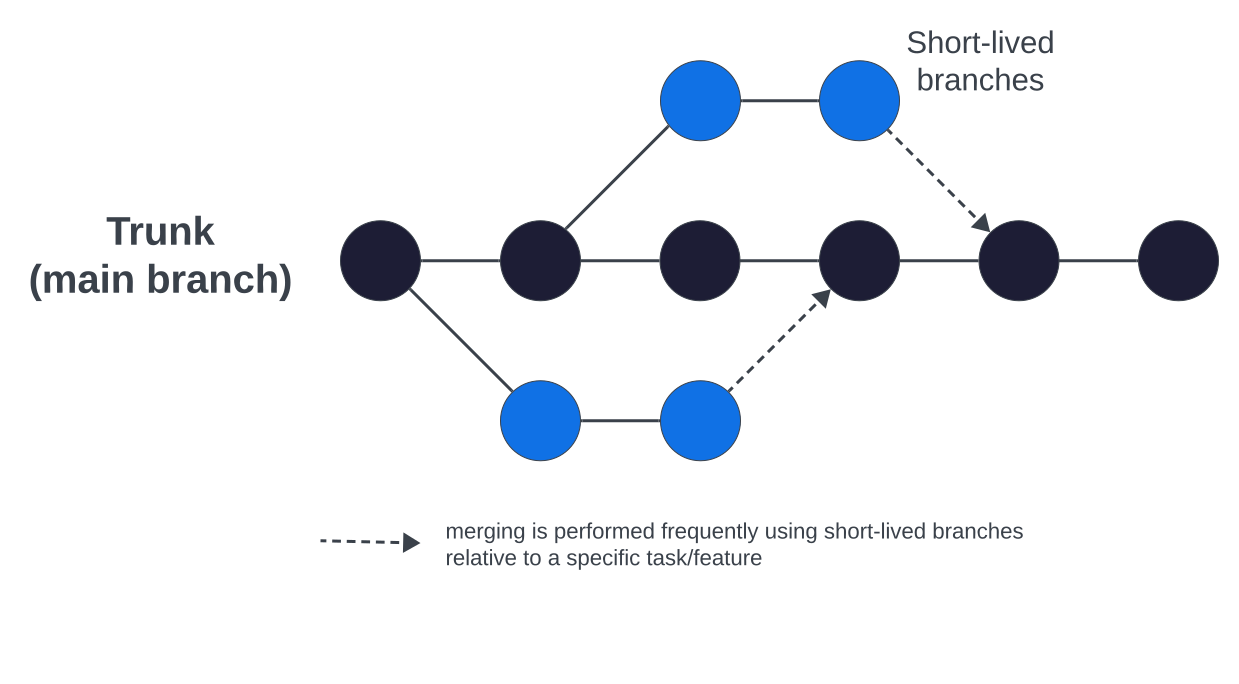
Trunk-based development is a version control management practice where developers merge small, frequent updates to a core “trunk” or main branch. Developers create short-lived branches with a few small commits compared to other long-lived feature branching strategies. As codebase complexity and team size grow, trunk-based development helps keep production releases flowing.
829 Workflow
Developers will create a branch off of the trunk branch for the project. For new project development, this is frequently not the main branch, but rather the dev branch. Developers create a branch using their first name followed by a slash and the title of their new branch. New branch names should be relevant to the feature being worked on. If the task is to work on the Page Hero block, your branch name might be caleb/page-hero-block.
git checkout -b caleb/my-new-feature
As you work on the feature assigned to you, it is good practice to make small commits that are relevant to each other.
git commit -m "Add support for option background video in homepage hero"
When you have made your commits, you must merge your branch back into the trunk branch in order to push your code to the website. Developers typically have unrestricted access to the dev branch and can merge code freely.
In order to merge to the production branch, typically main or for older sites master, you must make a Pull Request. A pull request can easily be made from the branch page in BitBucket, in a GUI app for git such as SourceTree, or in the terminal.
A Senior Developer must approve the pull request before it is merged into the destination branch. Please be sure to tag an appropriate senior developer as a reviewer for your pull request to make sure they are notified.
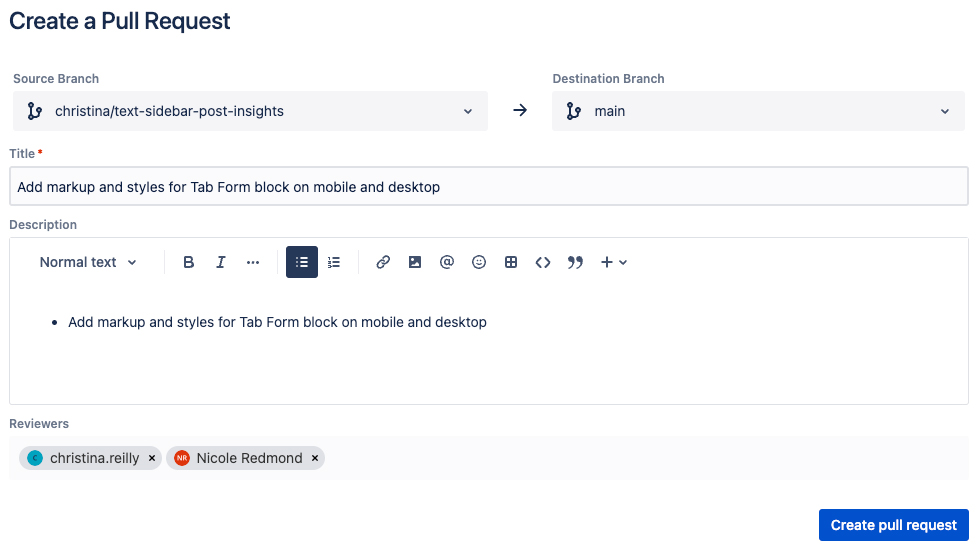
Once the new code has been merged into the destination environmental branch, the CI/CD starts the build process to deploy code to the appropriate site/server.
Best Practices
Pull From The Trunk Branch Frequently
- It is good practice to pull frequently from the trunk branch as you continue development in your branch. This ensures that you have the latest trunk code in your branch. Trunk cade may have been added or committed by another developer. If you go a long while without pulling from the trunk, you may find that you run into a code conflict, when both another developer and you have made overlapping changes in the same file.
Commit Early and Often
-
Commits should be made early and often, using the “one task, one commit” methodology. Files in a commit should be related to the change or feature you are implementing.
-
Please do not squash commits because this results in 829 losing historical insight into when/why files were changed, as well as useful commit messages that are invaluable when debugging issues and adding new features.
-
Commits containing changes to hundreds of files are very unhelpful and should be broken into several smaller commits for specific tasks.
-
Commit messages should be succinct and useful. Write descriptive commit messages starting with a verb in present tense to indicate the purpose of each commit in a clear and concise manner. Each commit should only have a single purpose explained in detail in the commit message. The Git documentation provides guidance on how to write descriptive commit messages:
Good commit messages:
Enable support for buttons in the page hero

Resolve mobile spacing errors on the accordion block
Bad commit messages:
Added margins

Fixed a bunch of things

Fixes for Hero single, accordion, popup video, and footer social networks
Branch Naming
- When setting up a new repository in BitBucket, you have the option to name the primary trunk branch. Traditionally, this name has defaulted to master. This master/slave concept has fallen out of favor in the development world and these harmful and antiquated terms are no longer considered appropriate. 829 Studios has a strong commitment to DEIB, and as such we have specific standards to which our default branches should be named.
- The primary trunk should be named main.
- Other environmental branches should be named stage (not staging) and dev (not development).